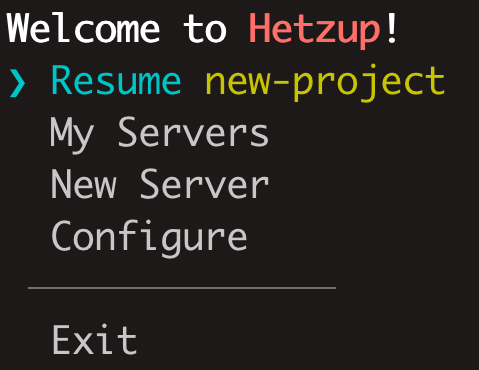
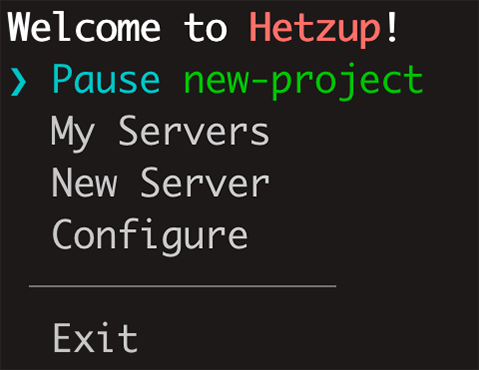
hetzup lets you spin up Hetzner Cloud servers on-demand and automatically configures a reverse proxy for SSH and web. This means that you only pay when you're actually using a server while keeping stable SSH & web access. It simplifies running on-demand servers when continuity is required and removes the associated friction. A typical use loop is as simple as:
Installation
Install: npm install -g hetzup
Run: npx hetzup
Install: bun add -g hetzup
Run: bun run hetzup
Install: pnpm add -g hetzup
Run: pnpm run hetzup
Optimal setup
I suggest that the optimal way to use hetzup is to have it run on a persistent server and only use IPv6 for your on-demand servers. The main server will then reverse proxy you into the on-demand servers using IPv6. That way, you are both only paying for servers when you need them and saving funds on IPv4.
An additional benefit of this setup is that when you're not using the server, the reverse proxy will be automatically disabled. You will not be sending traffic from your domains to someone who is now using your previous IP or trying to SSH into someone else's VPS by accident.
You can, of course, keep permanent IPv4 and IPv6 addresses (which Hetzner calls “Primary IPs”) for each server if you want - hetzup supports and seamlessly handles that by remembering which IPs you've used with what server.
Requirements
The requirements for basic functionality are Debian 12+/Ubuntu 24+ and Node 18+. To enable automatic reverse proxy you will also need Nginx (nginx-full) 1.26+, and hetzup will need to run with enough privileges to edit Nginx config and reload it. Finally, having certbot installed will allow hetzup to automatically request certificates for the websites hosted on the on-demand servers, and for them to renew on schedule even when an on-demand server is offline. All of these requirements only apply to a persistent server where hetzup is running.
Using hetzup
I recommend that you install hetzup package globally, or, at least, create an alias for the command for the ease of use.
Make sure not to interrupt hetzup while the tasks are running (whenever there's a loading animation) as that may result in incomplete operations or server configs not being properly updated. For example, if you force exit right after choosing to pause a server, the command to save it to a snapshot will already have been sent to Hetzner and will be completed, but there will be nothing to send a request to delete the server instance when that's done, and you will keep paying for it.
hetzup uses the server name (hostname) as a unique identifier for a server. It is used to keep track of a server throughout its lifecycle and associate snapshots with it. hetzup will not allow you to create multiple servers with the same name (even if a server with that name only exists as a snapshot and is not currently running), and if you do it manually, it can break things.
Unfortunately, when a server is recreated from a snapshot, its fingerprint will not be the same anymore. So, to avoid going back to your known_hosts and deleting an entry each time, I recommend not using strict key checks with on-demand servers. That is already included in an ssh config hetzup gives you when you create a server or reconfigure ports. There might be a way to resolve this problem by somehow preserving the fingerprint. If you've figured it out, let me know.
If hetzup UI looks broken, making the terminal window bigger should fix it.
IPv6 only servers
IPv6 support is currently very limited and Hetzner doesn't provide a NAT64 service. This means that you will not be able to use Github or many other services that don't support IPv6 with the default server configurations. You can get around that by setting up your own NAT64 service or using a public one such as nat64.net.
You will need to do this once on every IPv6 only on-demand server. For Debian and Ubuntu, edit
/etc/network/interfaces and add this line (for nat64.net):
dns-nameservers 2a01:4f9:c010:3f02::1 2a01:4f8:c2c:123f::1 2a00:1098:2c::1
Then, either restart the server or the network loopback interface:
ifdown lo && ifup lo
About
My name is Aivar Kavshevich. I developed hetzup for myself as an effortless way to keep multiple projects going at the same time without paying a full monthly cost, and to remove friction when trying new things. hetzup is completely free and open source.
If you have questions, suggestions or just want to say "Hi", send me an email.